
Using CloudFlare Free WAF to Prevent Malicious Bot Account Registrations
To prevent large numbers of invalid email registrations, the author configured CloudFlare's WAF on ChemSitesHub.com and added a custom rule requiring users to pass an interactive challenge when visiting specific URLs. This effectively blocks automated bot registrations and protects the website.
ChemSitesHub.com provides three registration methods: email registration, Google account authentication, and Microsoft account authentication. Email registration sends a verification email, which users must click to confirm before logging in. The other two methods allow direct login. 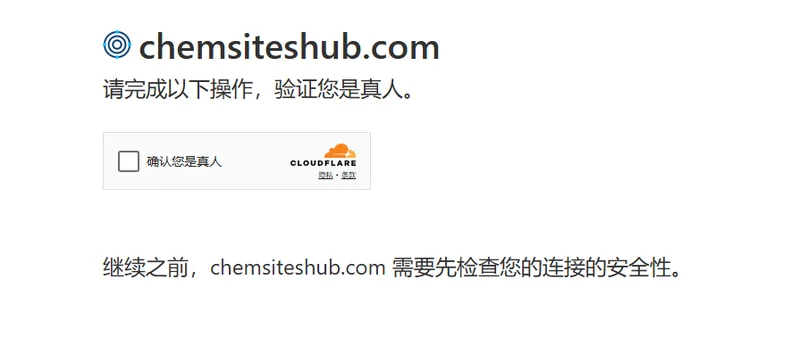 Emails are sent using Resend's free service with a daily limit of 100 emails. Today, Resend reported exceeding the quota by 200% due to over 100 accounts being registered in a short period, surpassing the daily limit.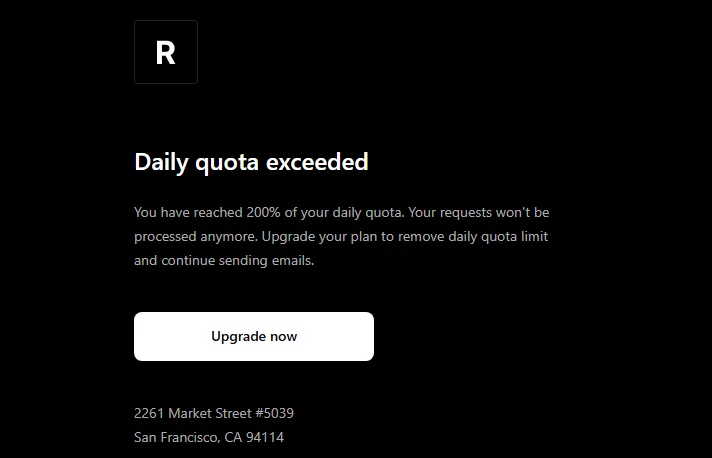
After considering advice from AI, the author realized CloudFlare offers WAF. So, they accessed the dashboard - selected the domain - Security - WAF - Custom Rules, and created a new rule. 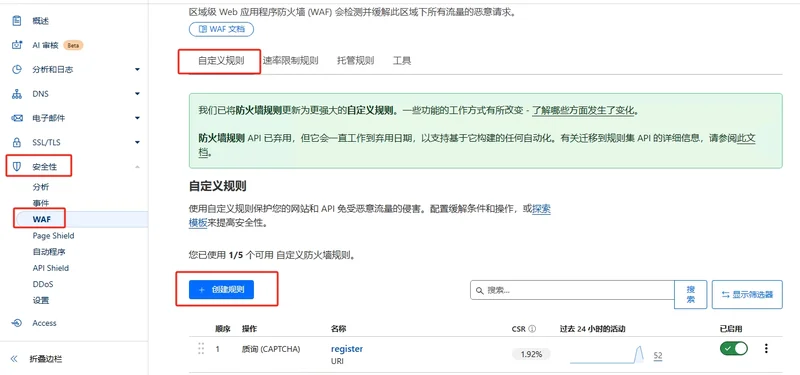
In the rule settings, enter a name, configure the rule according to needs, choose 'Challenge', deploy, and done. 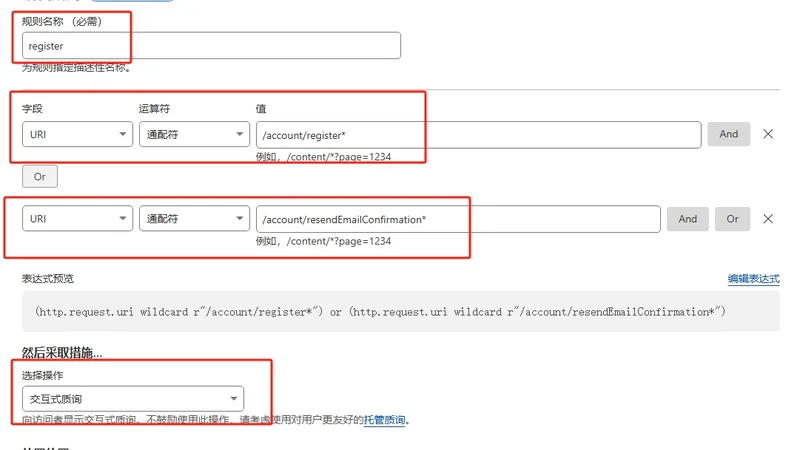
After clearing cookies or using a new browser to visit the configured URL, users are prompted to verify they are human. Once verified, subsequent visits no longer require authentication.